Exports
FairyFlow can export your sequences in three formats. All export options are available in the sequence editor. Sequence editor is opened when .ffsq file is opened.
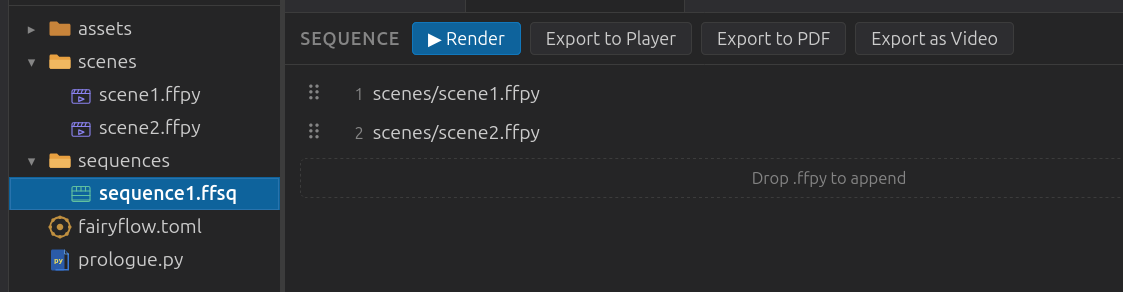
| Format | Use case |
|---|---|
Player package (.ffpkg) |
Interactive playback with cue-based navigation |
Video (.mp4) |
Sharing or embedding; requires ffmpeg |
| Slide handouts; each selected frame becomes one page |
Player package
A .ffpkg is FairyFlow's native self-contained format. It bundles the animation data so it can be played without a running server.
Play a package with:
Pass --twin-view to open two windows instead of one — a clean window (for a
projector) and a presenter window with speaker notes on by
default:
Keyboard shortcuts in the player:
| Key | Action |
|---|---|
| Right or Page Down | Continue to next cue / advance animation |
| Left or Page Up | Step back |
| Home | Jump to first frame |
| End | Jump to last frame |
| F5 | Toggle fullscreen |
| N | Toggle the speaker-notes overlay for the focused window |
The player automatically pauses at every cue, and at the end of every scene,
unless the scene uses flow=True.